See ContextuAI Solo in Action
A quick walkthrough of the desktop experience

Everything you need to run AI locally. Bring your own API keys, connect your databases, build agent crews — all from your desktop. No cloud required. Pre-built to start. Unlimited to build.
A quick walkthrough of the desktop experience
Connect Anthropic, OpenAI, Google, AWS Bedrock — or run free with 41 built-in local models including Gemma 4. Your keys, your models, your choice.
Built with Tauri + React + FastAPI. Lightweight native app that runs entirely on your machine. No server needed.
Create multi-agent teams with shared memory. Pre-built templates for marketing, research, and content workflows.
Multi-model conversations with session history
Database, MongoDB, MCP Server, REST API, Web Search & more
96 pre-built agents across 12 business categories
Multi-agent projects with orchestration
Telegram, Discord, Reddit, LinkedIn, Twitter/X, Instagram, Facebook, Blog, Email, Slack
Pre-built crew templates for strategy, content, marketing, product & research
Human-in-the-loop review before AI sends messages
Local RAG — upload docs or map folders, search with citations
Private, local store of facts about you and your work — you're in full control
@mention agents for quick tasks, promote to scheduled crews
Local dev workspace with multi-agent coding workflows
All data stays on your machine
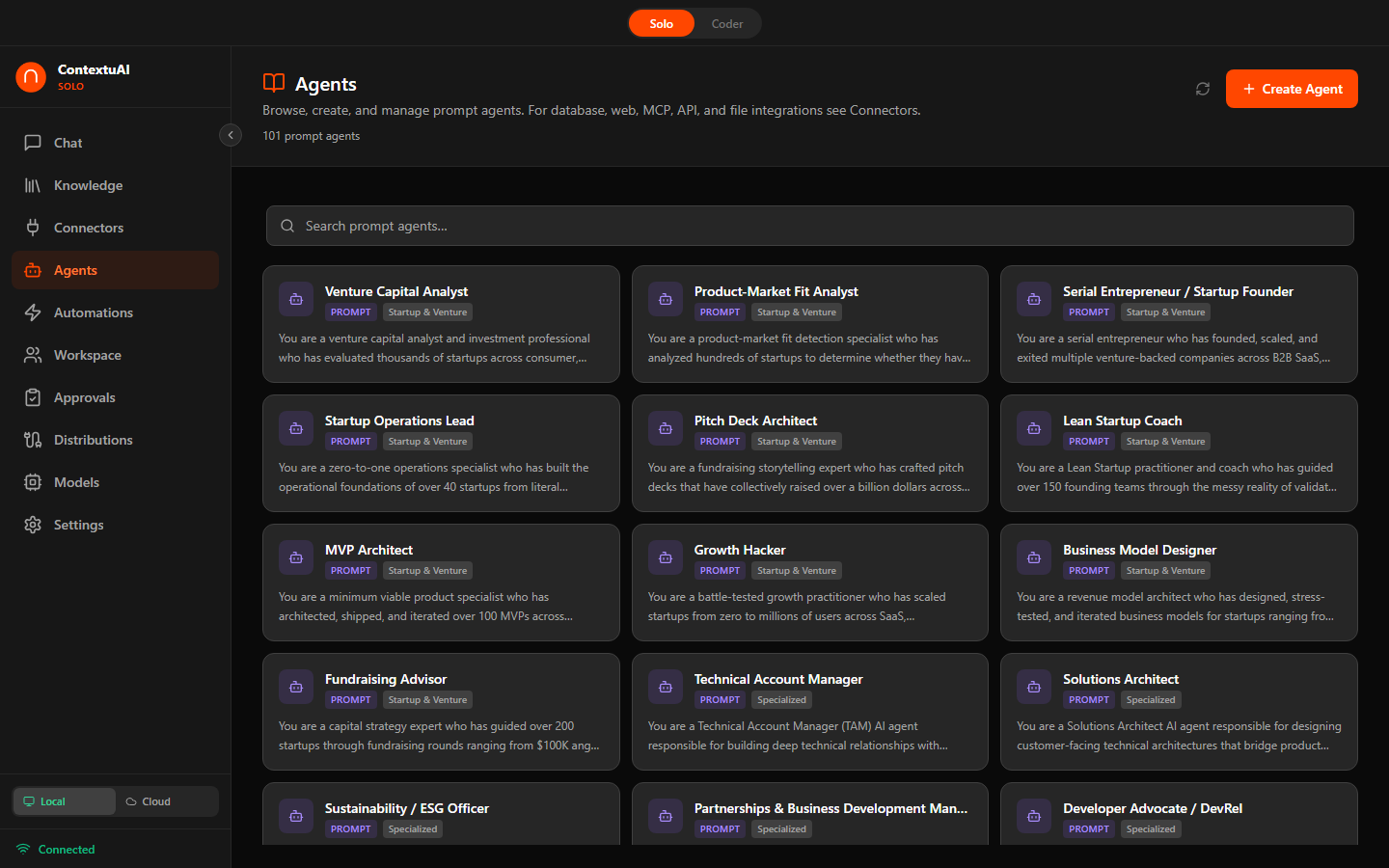
Not a generic chatbot — 96 specialized business agents across 12 business categories. Each one is a domain expert with a tailored system prompt, recommended model, and relevant tools. Use any as-is, customize every system prompt, or create unlimited agents of your own — 96 is where you start, not the ceiling.
C-Suite, Marketing, Finance, Legal, HR, Design, Data, IT, Product, Startup, Operations, Social Engagement, Specialized, or Custom
Each agent has a specialized system prompt — like hiring an expert consultant instantly
Get domain-expert responses — not generic AI, but a specialist who knows the field
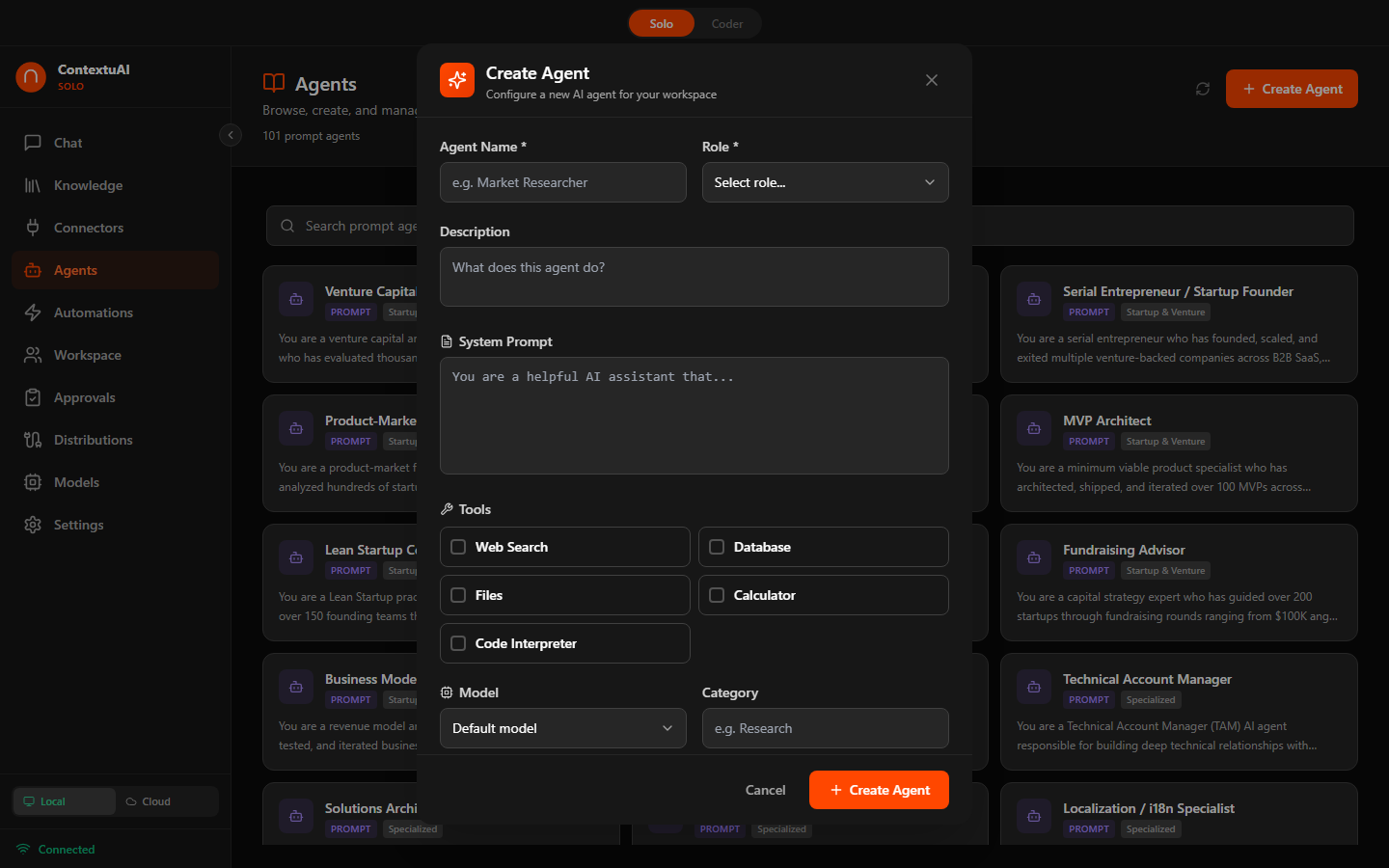
Create custom agents with tools, system prompts, and model selection
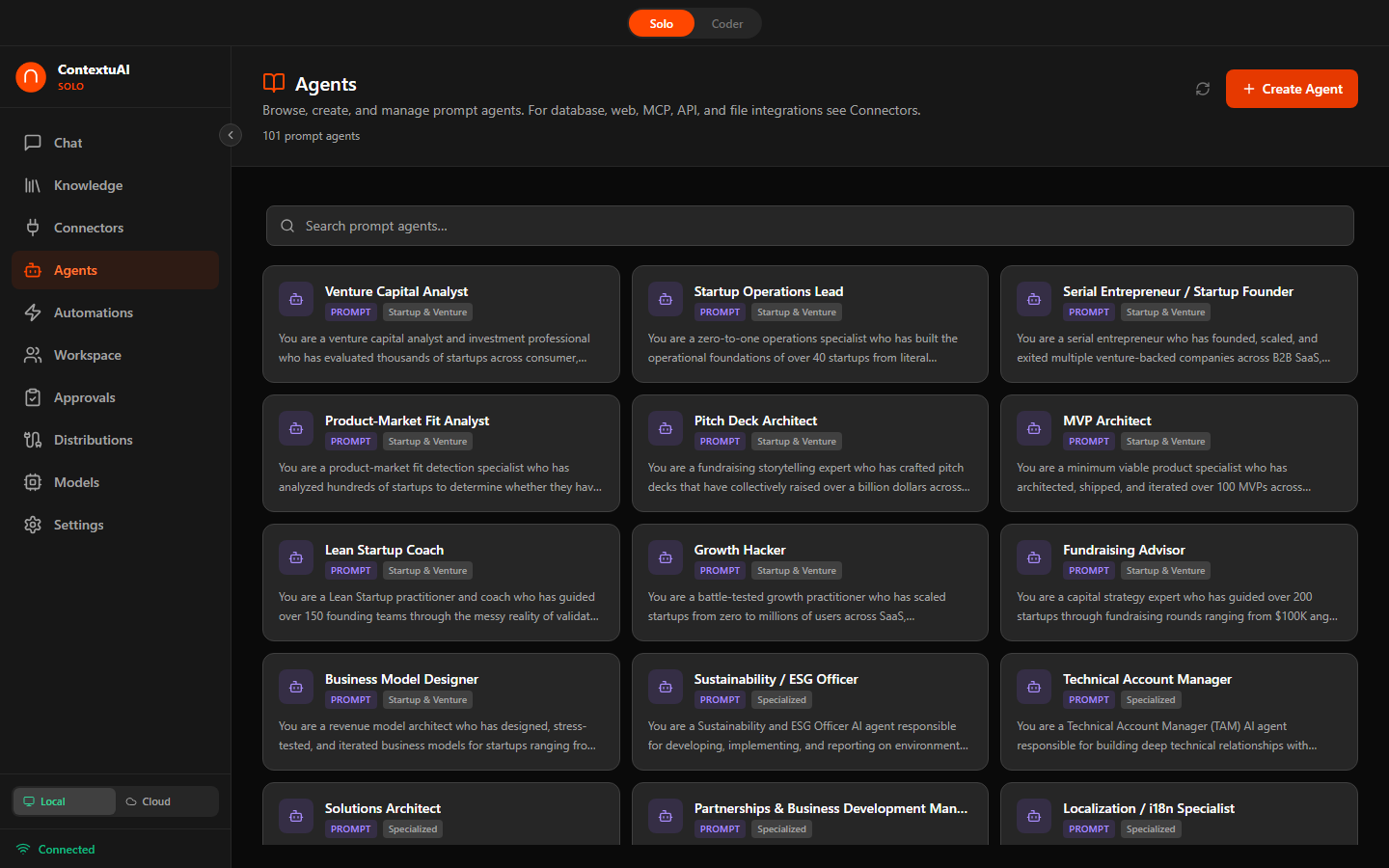
Browse agents by kind — Prompt, Database, Web, MCP, API, and File specialists
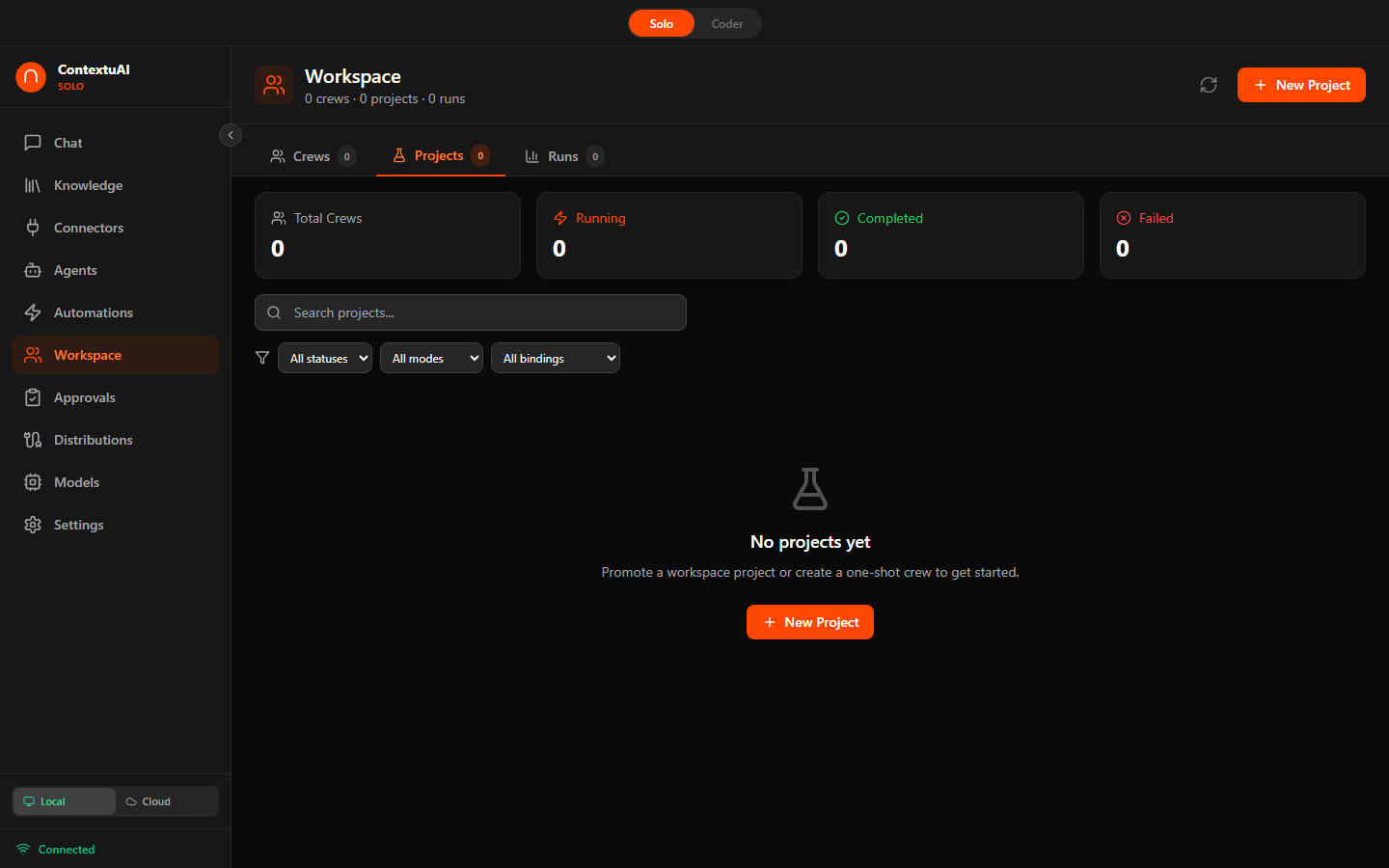
A 7-step wizard guides you through building multi-agent teams. Pick a blueprint, choose your AI model, assign agents, bind distribution channels, set triggers, configure approval gates, and launch — like hiring a department in one click. Blueprints are optional starting points — skip them and build any crew you can imagine.
Name your crew, pick a blueprint, choose AI model
Sequential, Parallel, Pipeline, or Autonomous
Pick specialists from the 96-agent library by kind
Bind distribution channels with per-channel direction
Keywords, hashtags, @mentions, or cron schedules
Enable human-in-the-loop review before sending
Confirm everything and launch your crew
One agent at a time. Output feeds into the next. Best for step-by-step workflows.
All agents run simultaneously. Best when tasks are independent.
Staged processing with checkpoints between phases.
Agents self-organize and delegate based on the task.
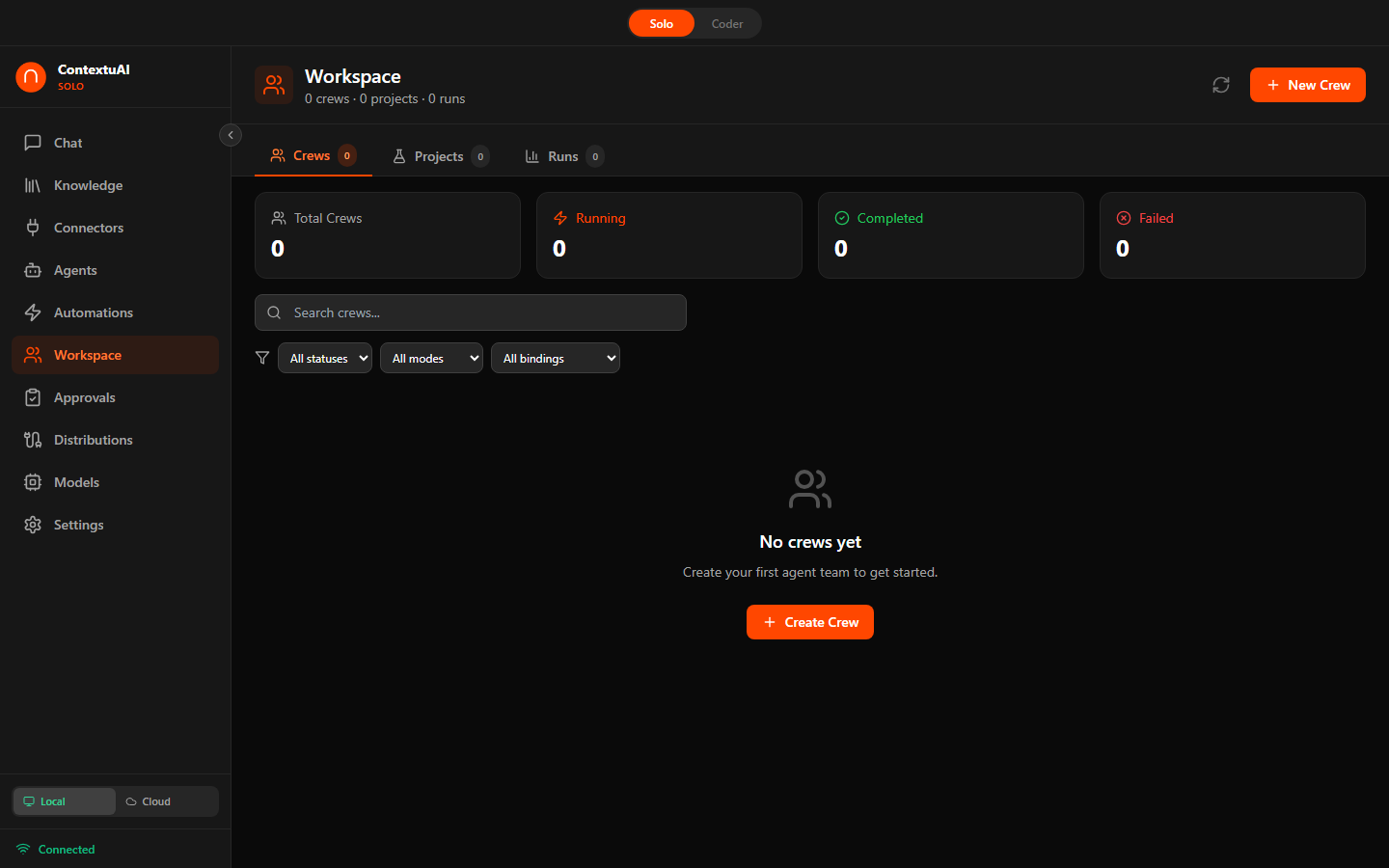
Crew dashboard — manage all your multi-agent teams in one place
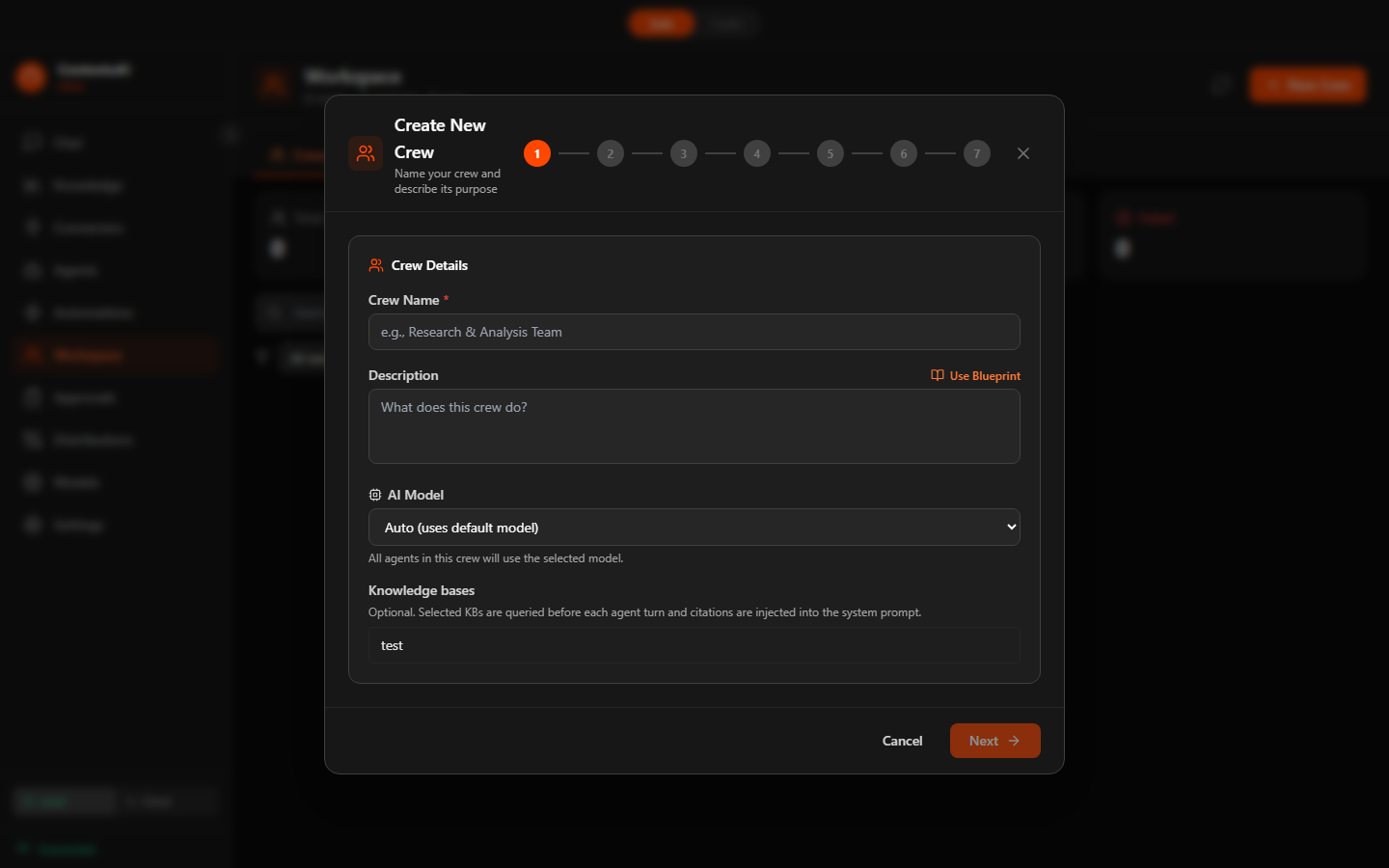
Step 1: Name your crew, pick a blueprint, and choose your AI model
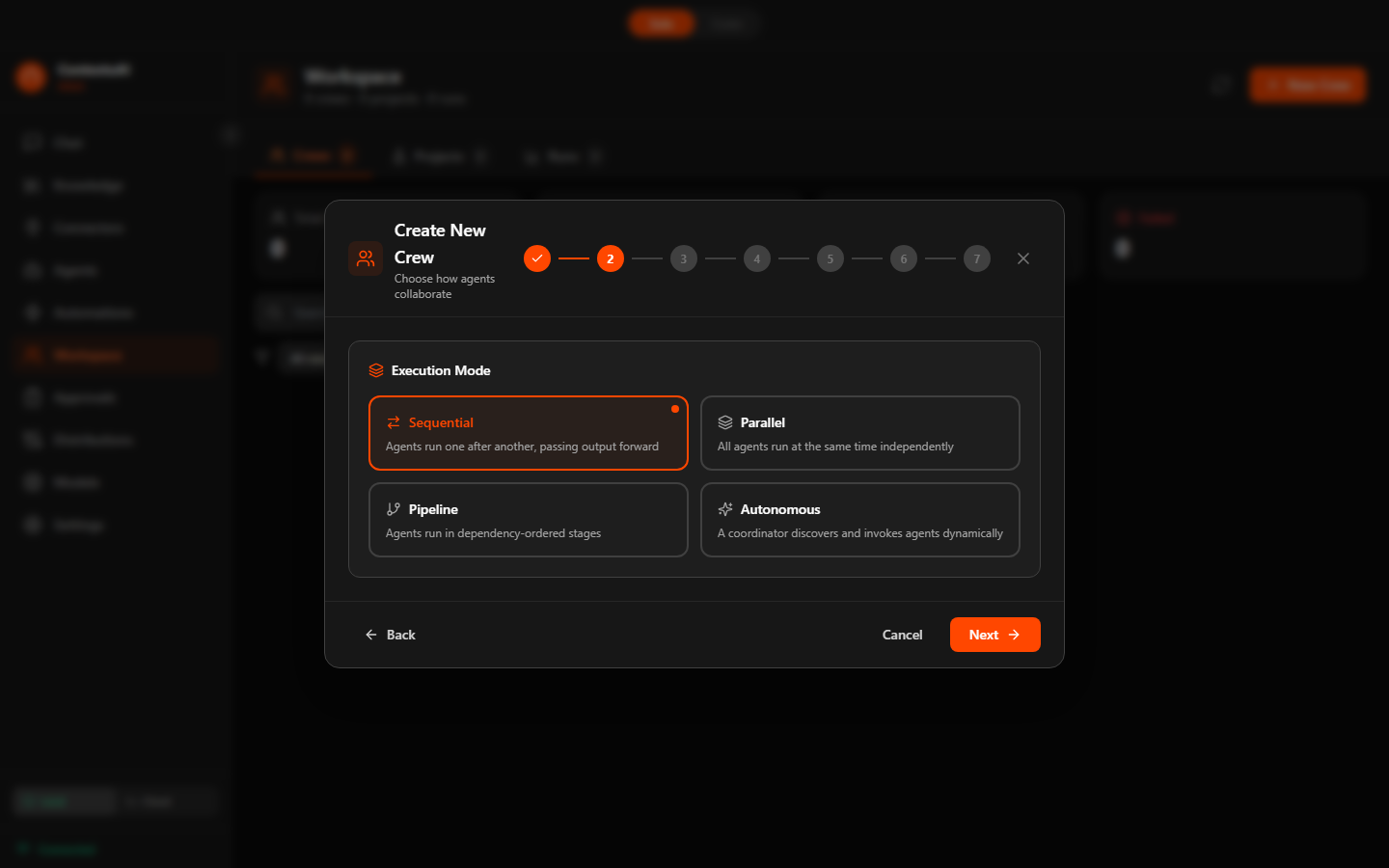
Step 2: Choose execution mode — Sequential, Parallel, Pipeline, or Autonomous
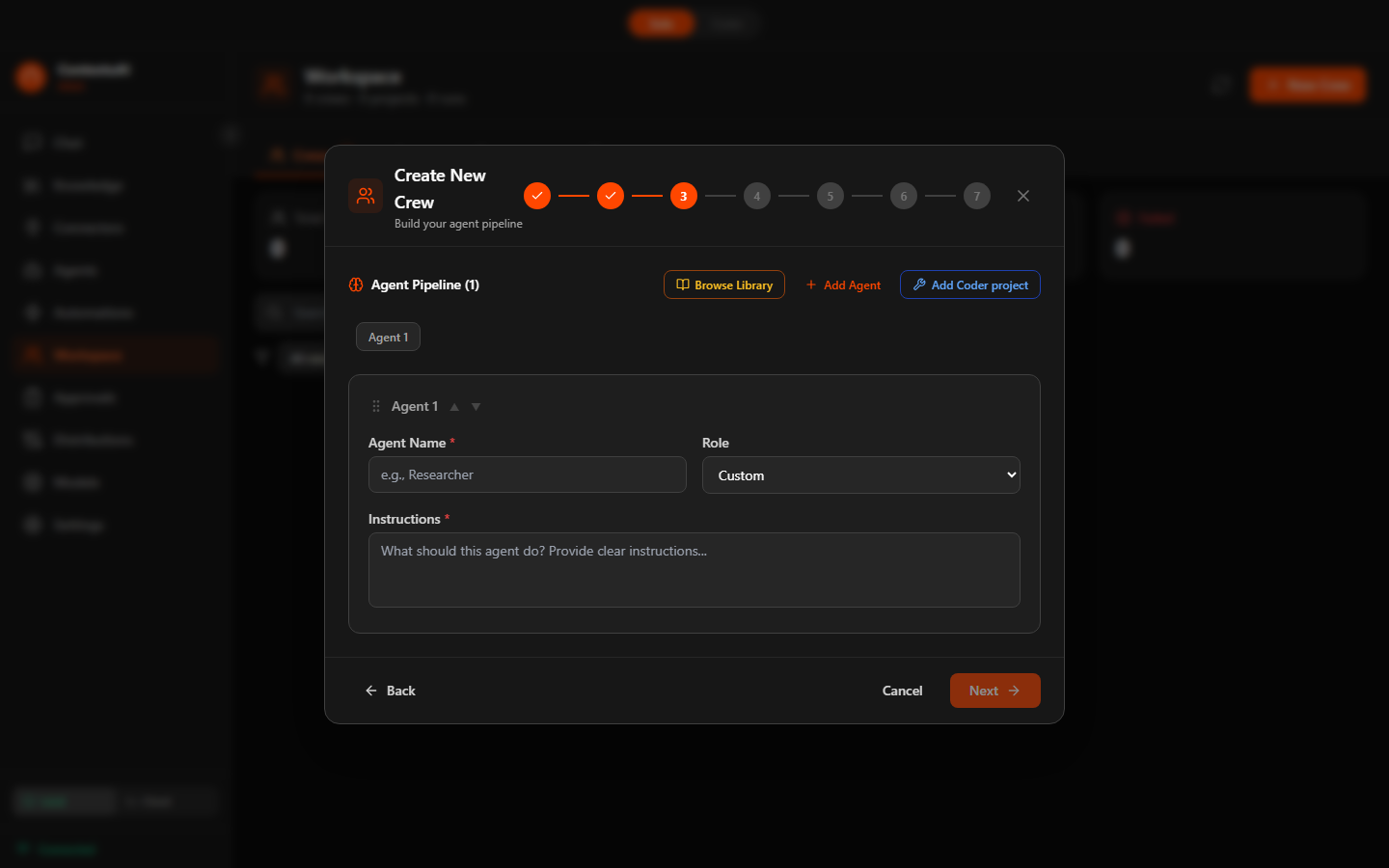
Step 3: Build your team from the 96-agent library, organized by kind
10 pre-built crew templates across 5 categories for the most common business tasks. Pick one when creating a crew — agents, execution mode, and goals are pre-configured. Clone and customize to fit your workflow — or build your own blueprint from scratch. 10 to start, not a limit.
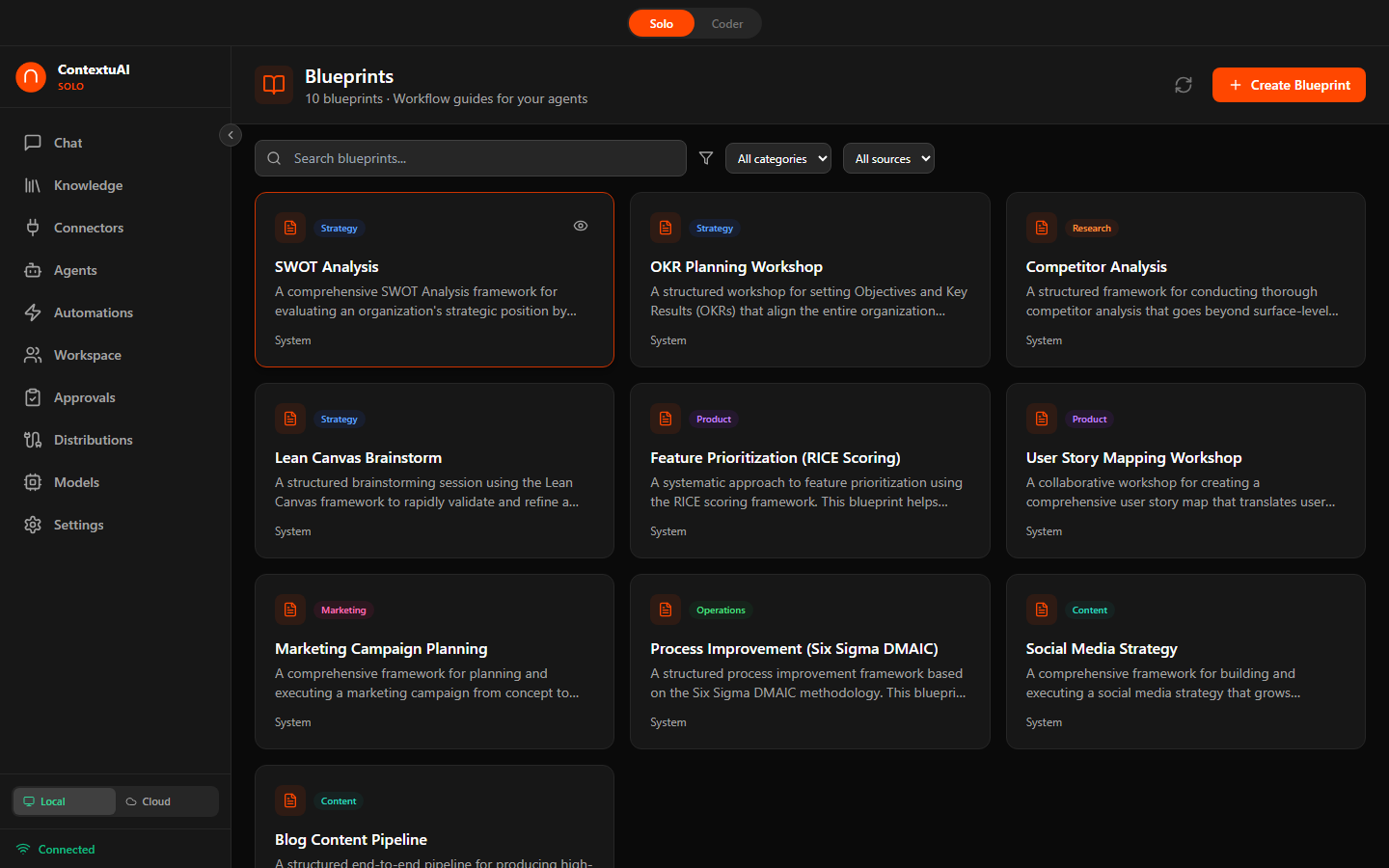
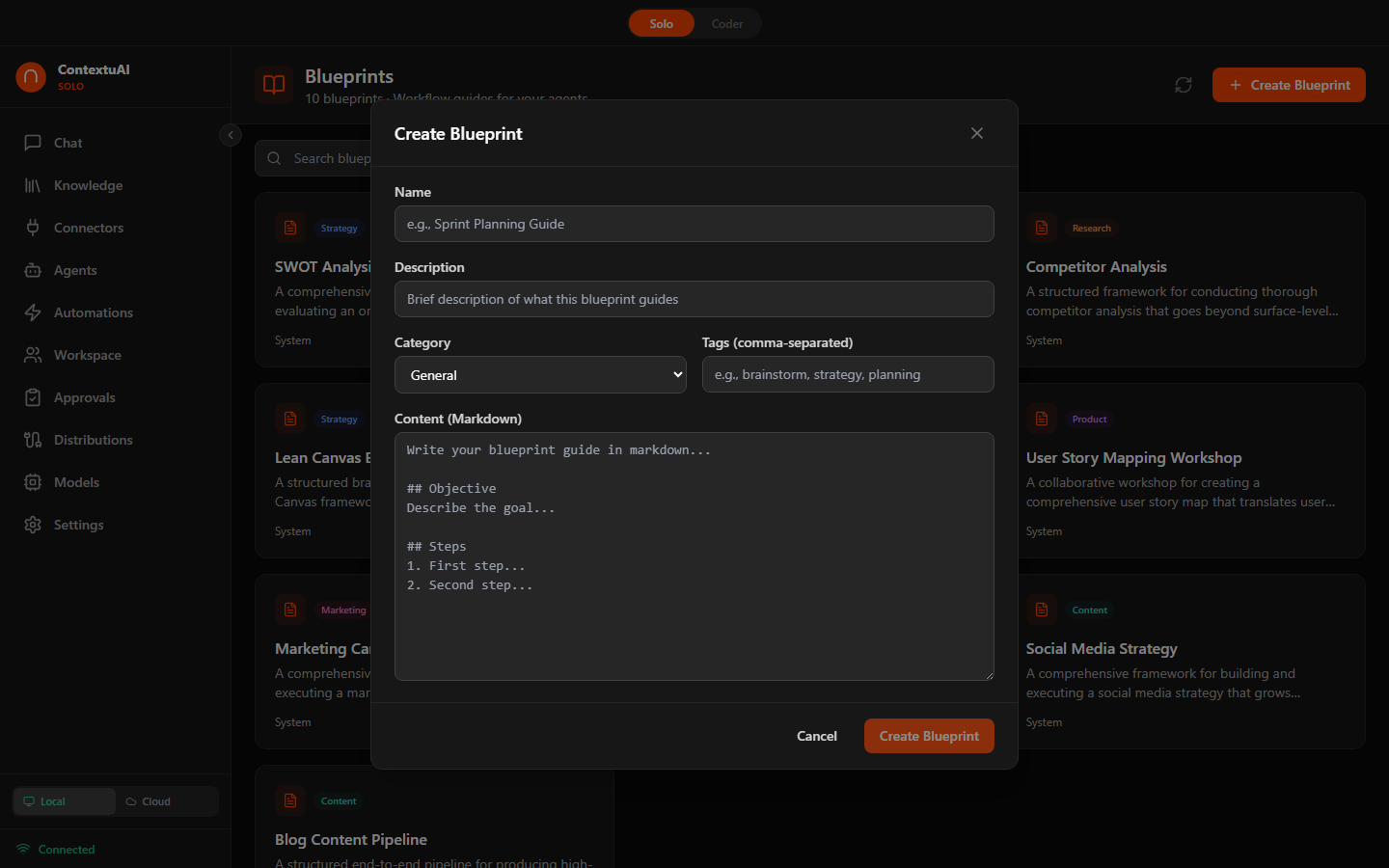
Create your own blueprint with agents, steps, and markdown content
10 built-in connector types let you talk to databases, APIs, files, websites, and developer tools — all through natural conversation. Query PostgreSQL in plain English. Browse the web. Call REST endpoints. Connect GitHub, Slack, or any tool via MCP.
 Microsoft SQL Server
SQL queries
Microsoft SQL Server
SQL queries
 MongoDB
Document DB
MongoDB
Document DB
 MySQL
SQL queries
MySQL
SQL queries
 PostgreSQL
SQL queries
PostgreSQL
SQL queries
Choose from 10 types — 5 database connectors, plus API, MCP, Web, File, and custom Nexus agents
Name your connector, add connection details (host, credentials, URL), customize the system prompt — everything stored locally
"Show me top 10 customers by revenue" — AI writes the SQL, runs it, and explains the results
PostgreSQL
Query & analyze
MySQL
Query & analyze
MSSQL
Query & analyze
MongoDB
Document DB
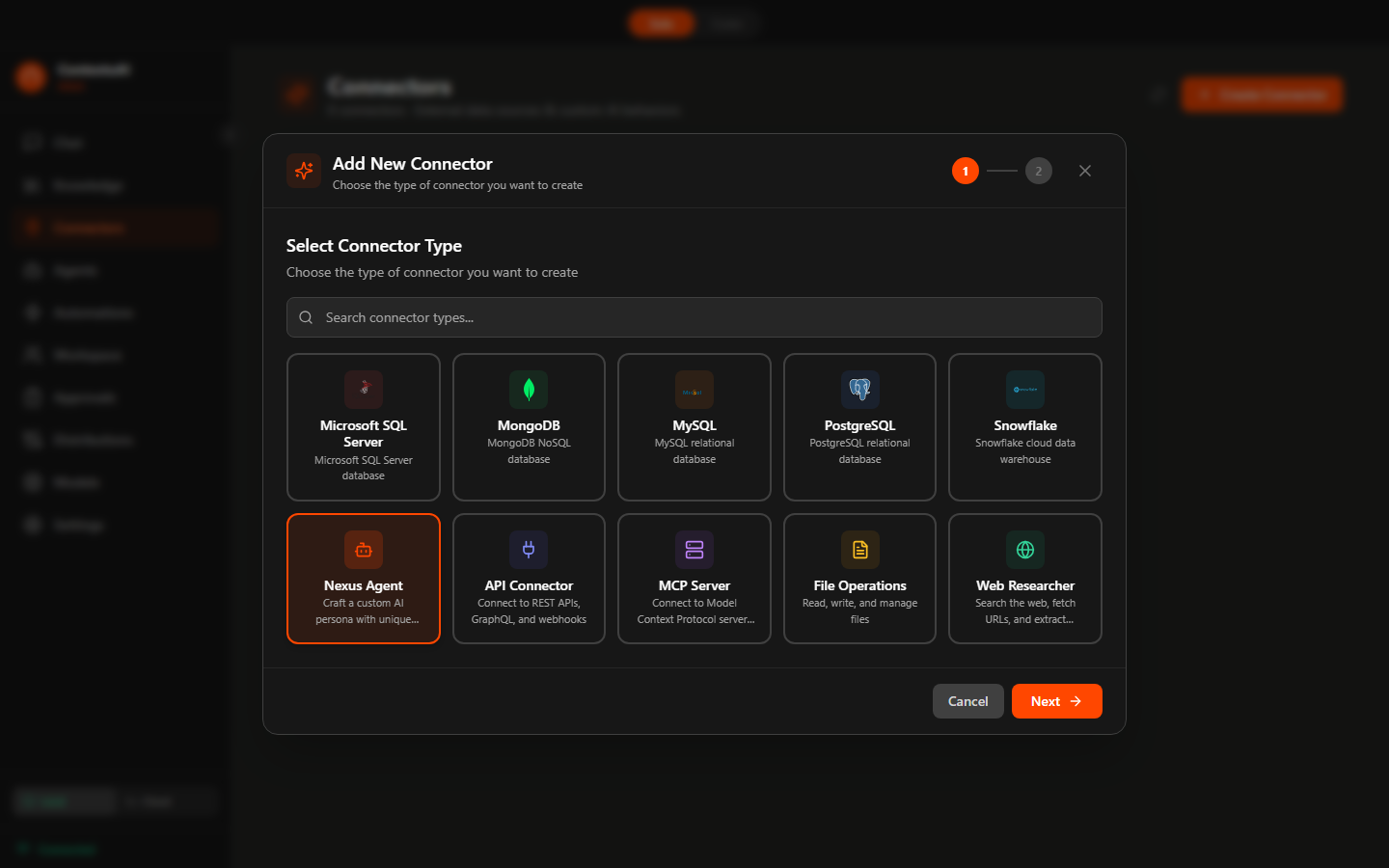
Add New Connector — choose from 10 connector types: 5 database connectors, plus Nexus Agent, API, MCP Server, File Operations, and Web Researcher
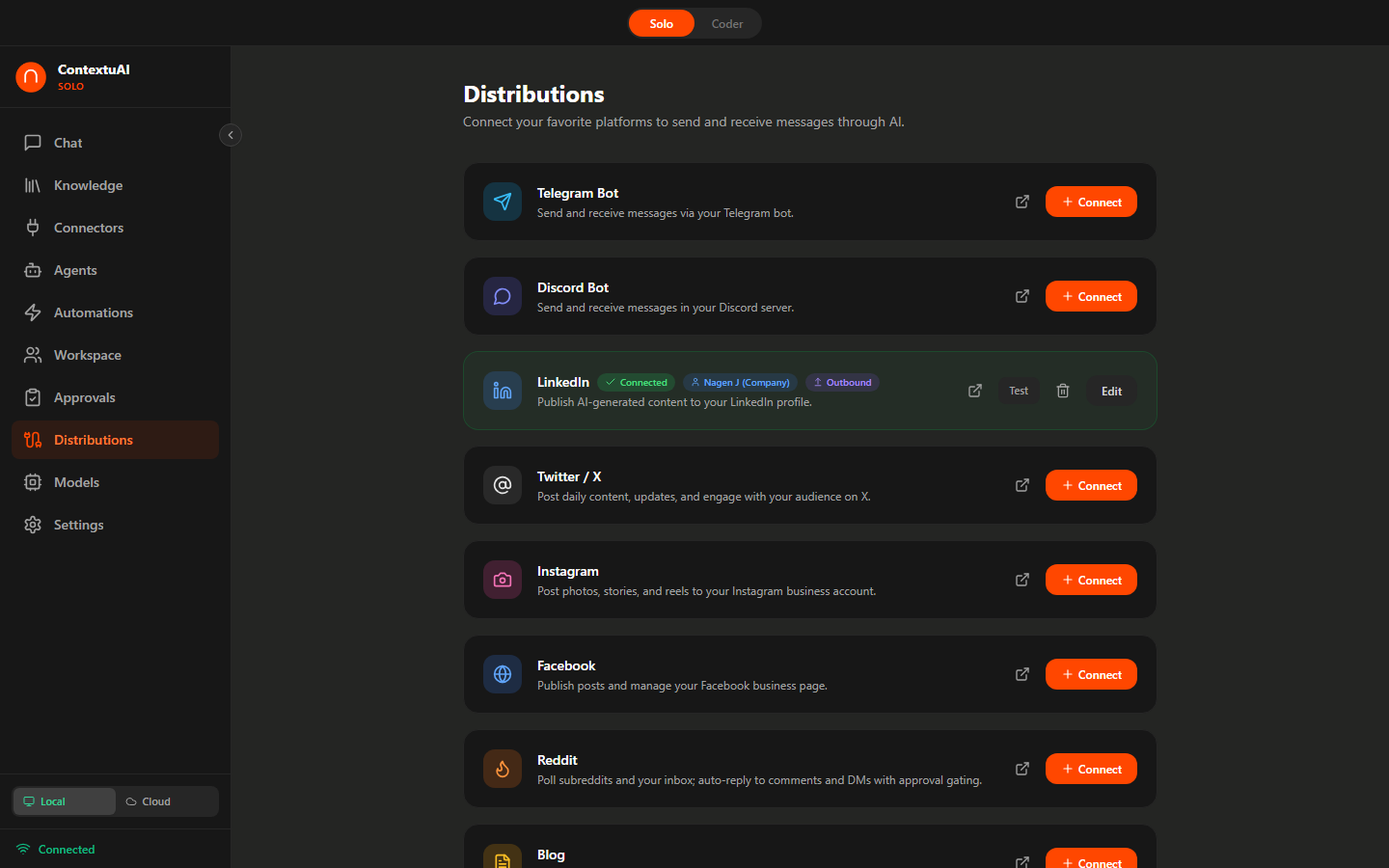
10 distribution channels — social, messaging, blog, and email. Inbound platforms listen for messages and auto-route to crews. Outbound platforms publish AI-generated content on schedule or on demand. All with optional approval gates.
OAuth, bot tokens, API keys, or webhooks — each channel has a guided setup card
Use agents or crews to create posts, articles, newsletters, and campaigns
Distribute to connected platforms, schedule for later, or auto-reply to inbound messages
Listen for messages, auto-route to crews, and reply with approval gates


Publish content on schedule or on demand




Create multi-agent projects with structured brainstorming. Pick a blueprint, assign agents, choose a model, and let your AI team collaborate — with artifacts you can export.
Name it, pick a type, select a blueprint template, and choose which AI model to use
Search the 96-agent library and add specialists to your project team
Agents collaborate on your task — review outputs and export artifacts
Step-by-step project wizard with blueprint integration and model selection
When crews or agents auto-reply to incoming messages, every response lands in your approval queue first. Review, edit, approve, or reject — nothing gets sent without your say-so.
Link a channel (Telegram, Discord, etc.) to a crew or agent with "require approval" enabled
Incoming messages are processed by your AI — the draft appears in the approval queue
Edit the response if needed, then approve to send — or reject to discard
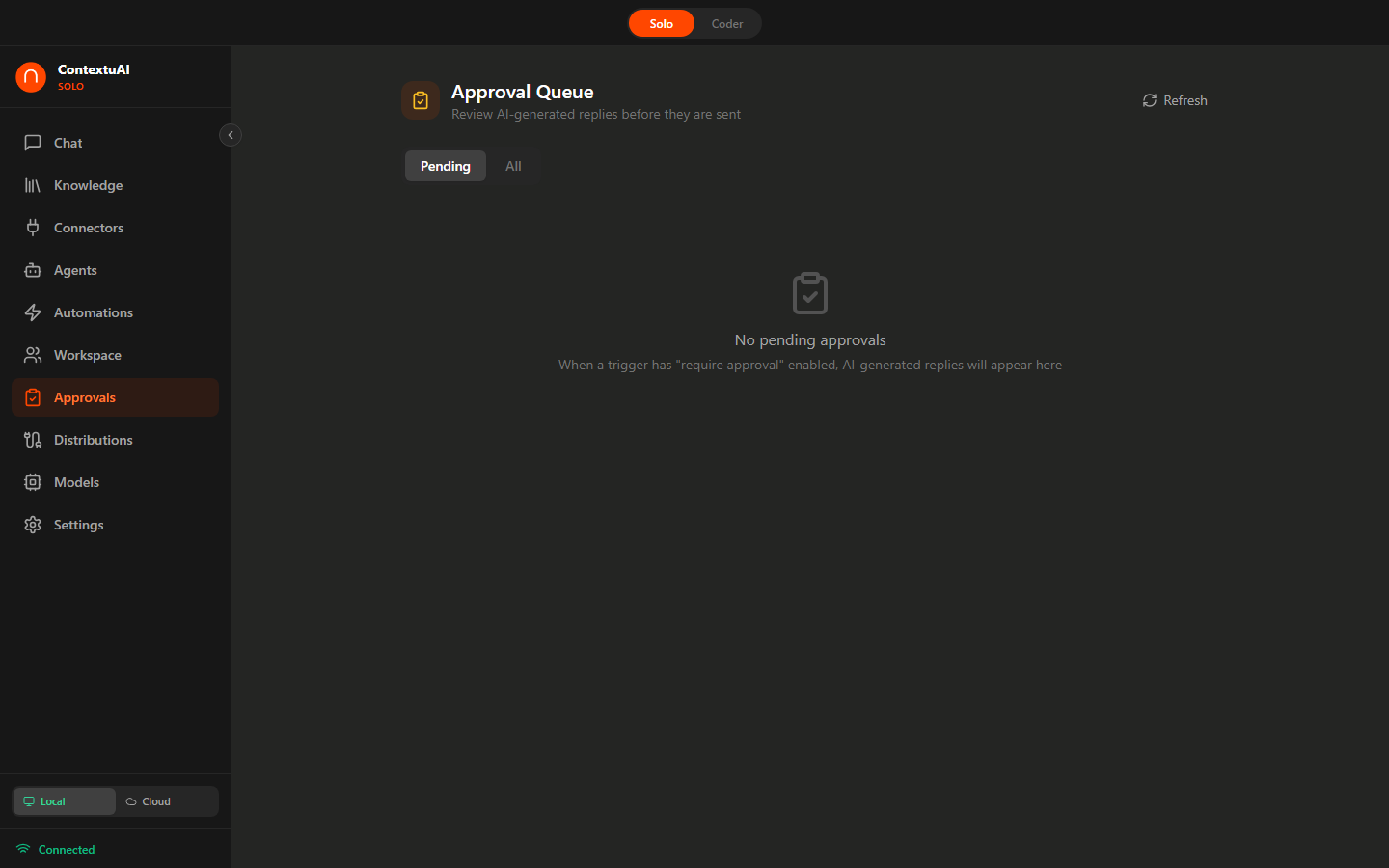
Review AI-generated replies before they are sent — full control over every message
From tiny 0.5B models that run on any laptop to powerful 70B models for machines with more RAM — Solo auto-detects your hardware and recommends the right model. Download it. Click run. That's it. No API keys. No internet. No data leaves your machine. Ever. 41 curated to start — or load any of 140,000+ GGUF models from Hugging Face.
Solo detects your RAM and highlights which models your machine can run
Pick a model, click download — real-time progress bar, stored locally in ~/.contextuai-solo/models/
Select your local model from the chat dropdown — same interface, zero cost, total privacy
| Your RAM | Models You Can Run |
|---|---|
| 4 GB | Qwen 3.5 0.8B, Gemma 3 1B, Llama 3.2 1B |
| 8 GB | Qwen 3 8B, DeepSeek R1 7B, Mistral 7B, Qwen 2.5 Coder 7B |
| 16 GB | Qwen 3 14B, Gemma 3 12B, Phi-4 14B, DeepSeek R1 14B, Qwen 2.5 Coder 14B |
| 32 GB | Qwen 3 32B, Gemma 4 31B, DeepSeek R1 32B, Gemma 3 27B, Qwen 2.5 Coder 32B |
| 48+ GB | Llama 3.1 70B, DeepSeek R1 70B |
 Qwen 3.5
Latest gen
Qwen 3
General chat
Qwen 2.5
Chat + Coder
Qwen 3.5
Latest gen
Qwen 3
General chat
Qwen 2.5
Chat + Coder
 DeepSeek R1
Reasoning
DeepSeek R1
Reasoning
 Gemma 4
New
Gemma 3
Google
Gemma 4
New
Gemma 3
Google
 Llama 3
Meta
Llama 3
Meta
 Mistral
Fast & light
Mistral
Fast & light
 Phi-4
Microsoft
Phi-4
Microsoft
9 model families covering general chat, reasoning, coding, creative writing, multilingual, and vision
Inference powered by llama-cpp-python — no GPU required, runs on any modern machine
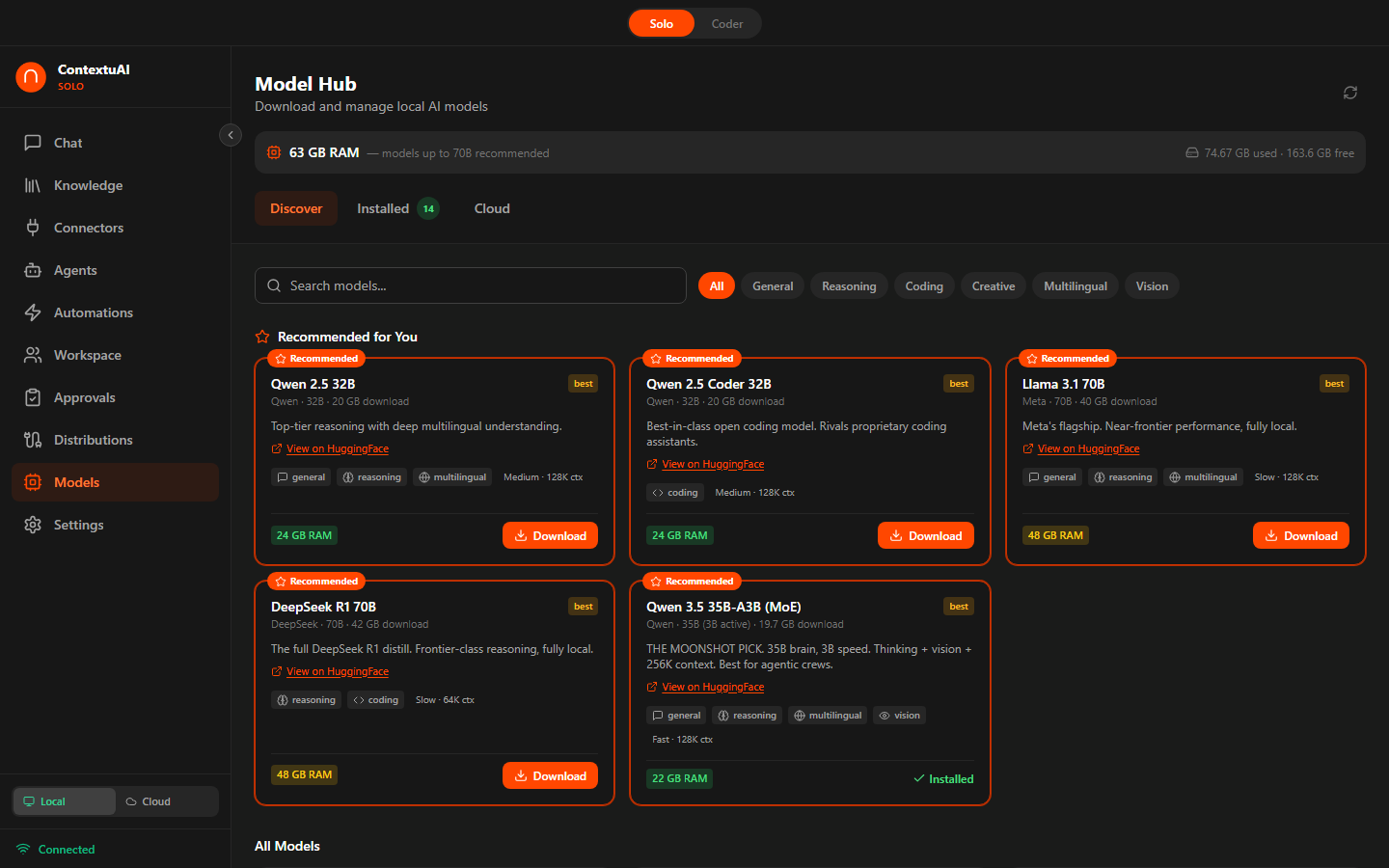
Discover models — auto-detects your RAM and recommends what you can run
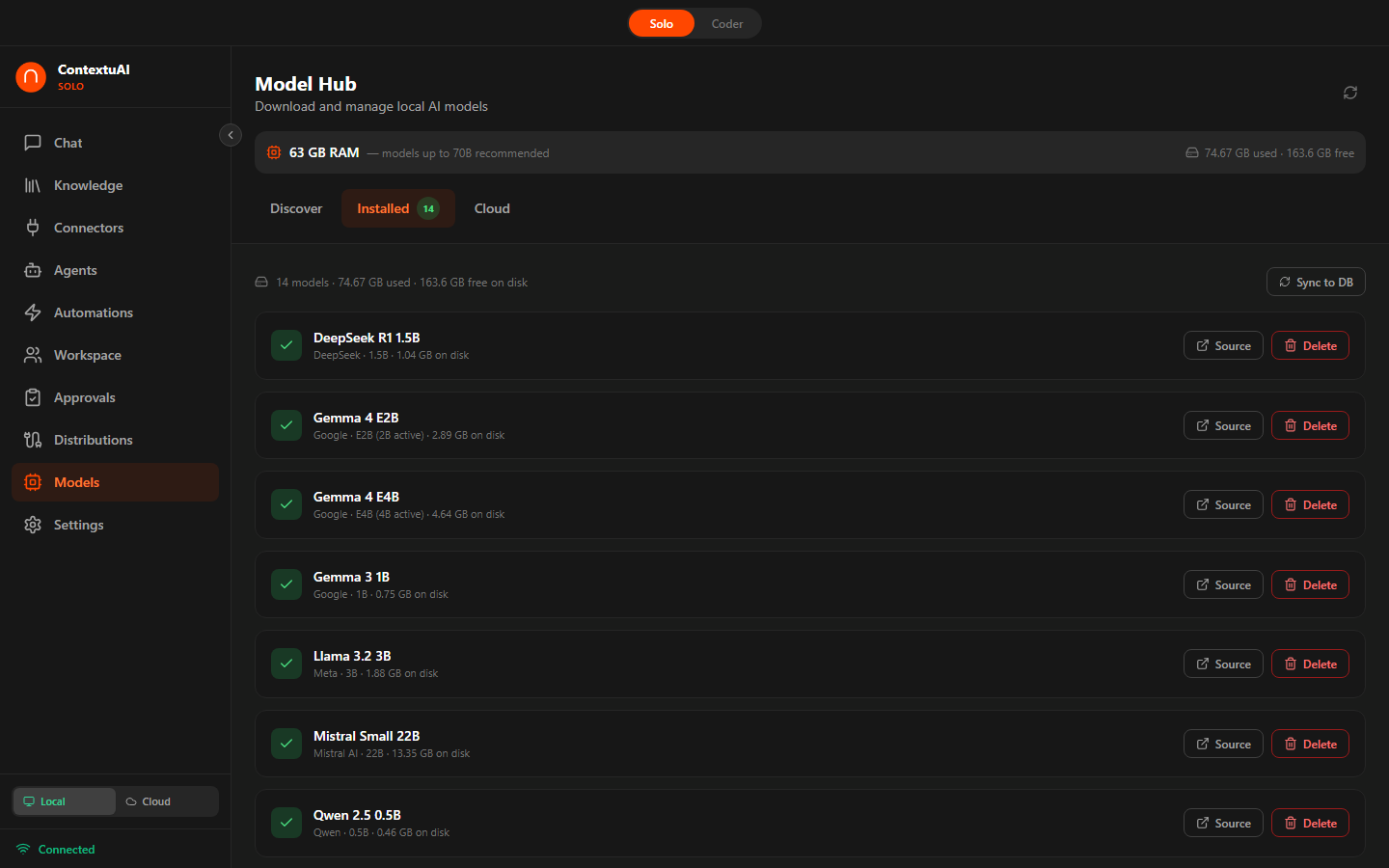
Manage installed models — sync status, storage usage, ready to chat
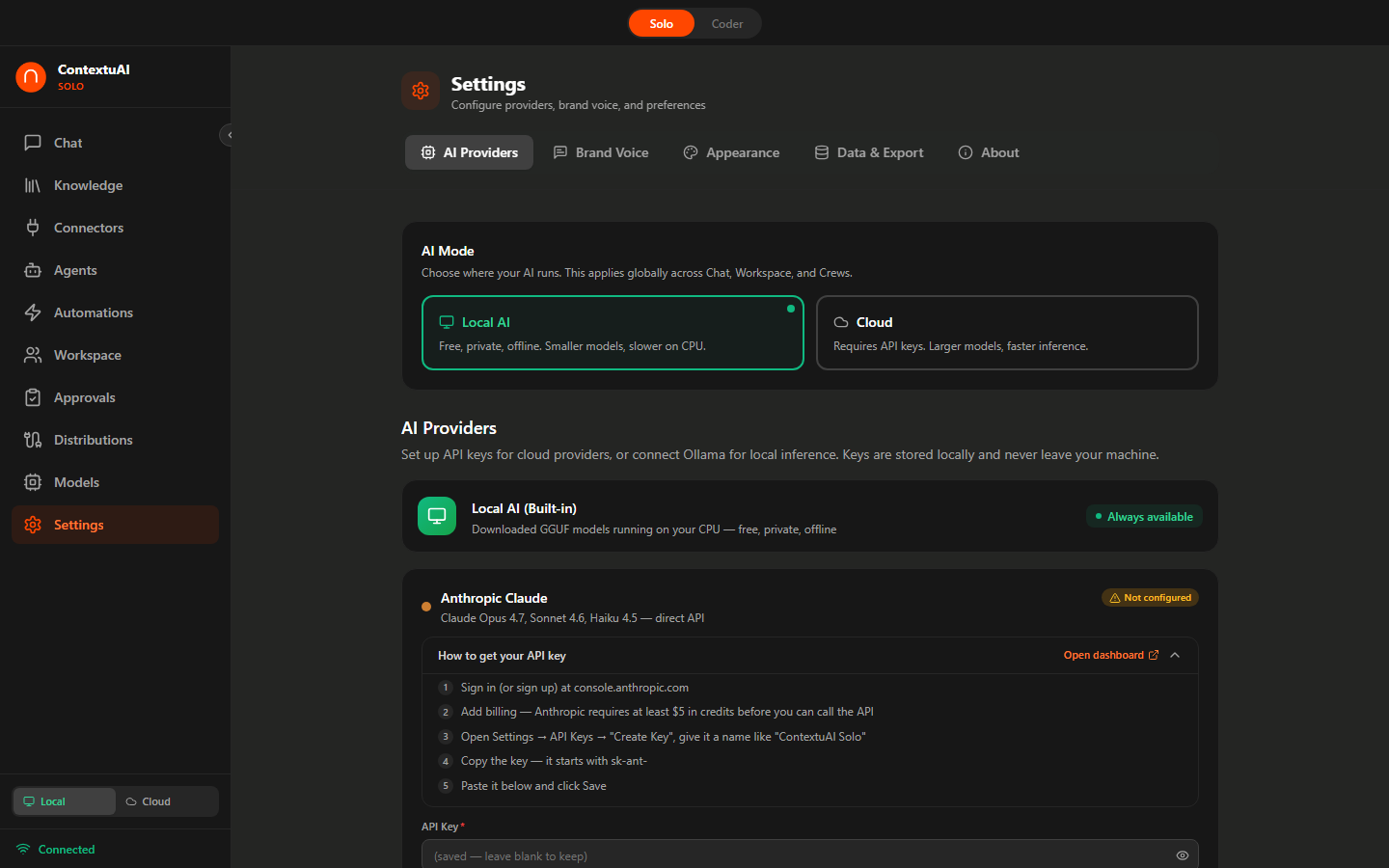
Configure cloud AI providers — Anthropic, OpenAI, Google, Bedrock, Ollama
Upload PDFs, DOCX, TXT, or Markdown — or map an entire folder on your machine. Solo chunks, embeds, and indexes everything locally using a bundled MiniLM model. Ask questions and get answers with source citations. No cloud. No API calls. Everything stays on your disk.
Upload files or map a folder (Obsidian vault, Notes, code directory) — auto-sync on schedule
Solo chunks and embeds locally — ~500 tokens/chunk, 384-dim vectors, stored in SQLite
Select a KB in chat — AI retrieves relevant chunks and answers with [1], [2] source citations
PDF, DOCX, TXT, Markdown — batch or individual
Auto-sync on 1h / 6h / 24h schedule with smart diff
MiniLM-L6-v2 ONNX — no download, no external API
Crews and agents can retrieve from specific KBs every turn
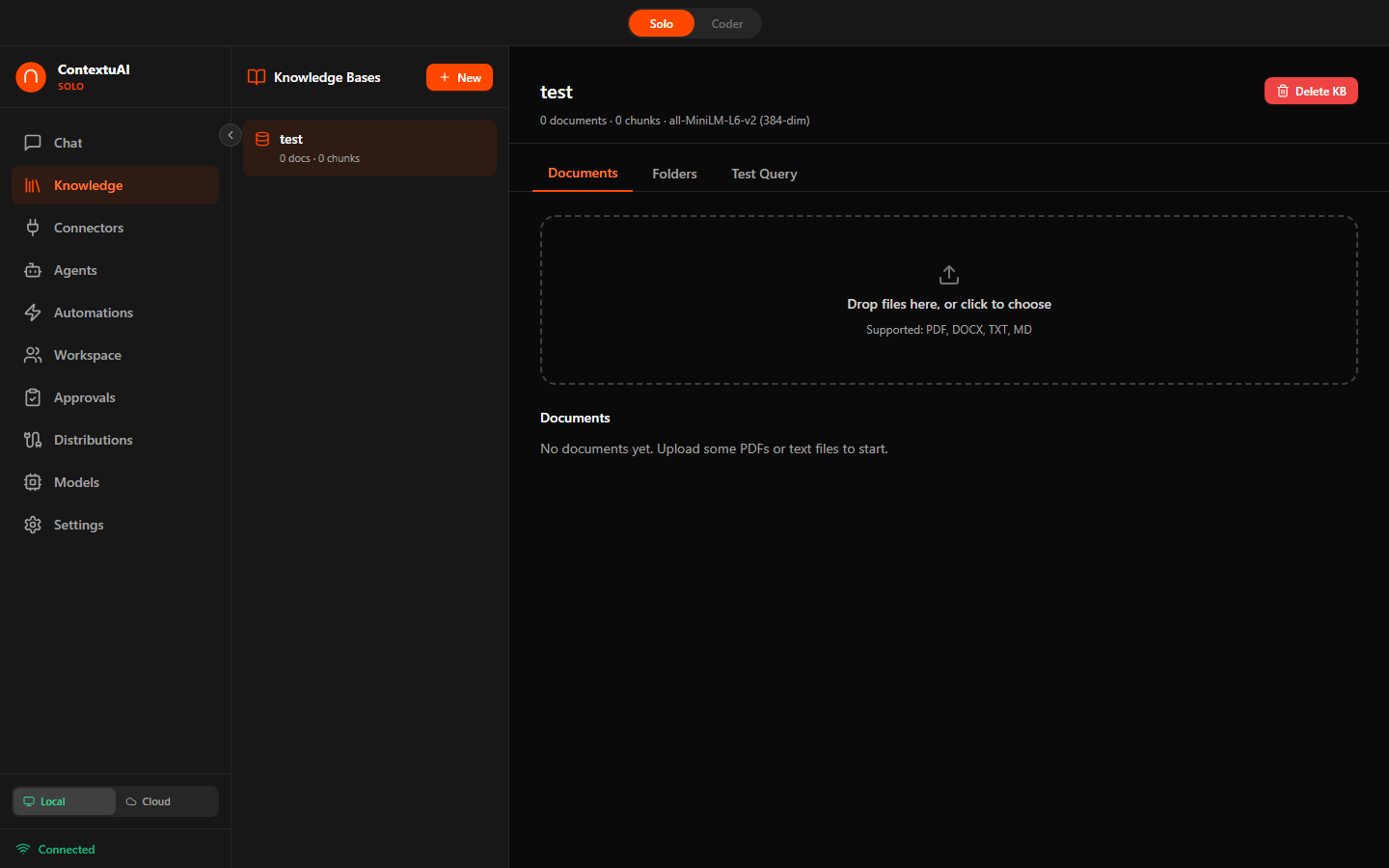
Upload documents or map folders — AI indexes everything locally for instant retrieval
Teach Solo the facts about you and your work — your pricing, your brand voice, your preferences — and keep them in one private place you fully control. Capture facts by hand, search them semantically, pin the important ones, and export anytime. 100% local, no cloud. A master switch turns it all off in one click.
Add a memory as Subject · Predicate · Value — e.g. "brand voice · is · warm & plain-spoken" — with a live preview
Find any fact with local semantic search; pin the essentials so they float to the top
Master kill switch, per-scope toggles, and one-click export to contextuai-memory.json
Structured Subject · Predicate · Value entries you write and edit
Bundled MiniLM embeddings find facts by meaning — locally
Pin key facts to the top; export everything to JSON in one click
Master kill switch + Chat / Crews / Channels scope toggles
Example facts you might teach Solo about your own work — a private, on-device store you fully control.
Today you teach Solo facts by hand. Next, Solo will surface the relevant ones automatically while you chat and while your crews run — with the same local-first, you're-in-control design. The scope toggles are already here for when it lands.
Don't want to build a full crew? Just type a prompt with @agent-handle mentions — Solo detects the agents, runs them sequentially or in parallel, and outputs to chat, PDF, PPTX, or any distribution channel. One-click promote to a scheduled crew when you're ready.
Use @mentions: "@content-strategist write a LinkedIn post about our Q2 launch"
Solo resolves the agents, picks the execution mode, and streams progress in real-time
Chat, PDF, PPTX, Markdown — or publish directly to LinkedIn, Telegram, Email, or any channel
Promote to Crew. Any automation can be converted to a scheduled crew with one click — agents, output action, and context carry over.
Write prompts with @agent mentions — Solo detects agents and runs them automatically
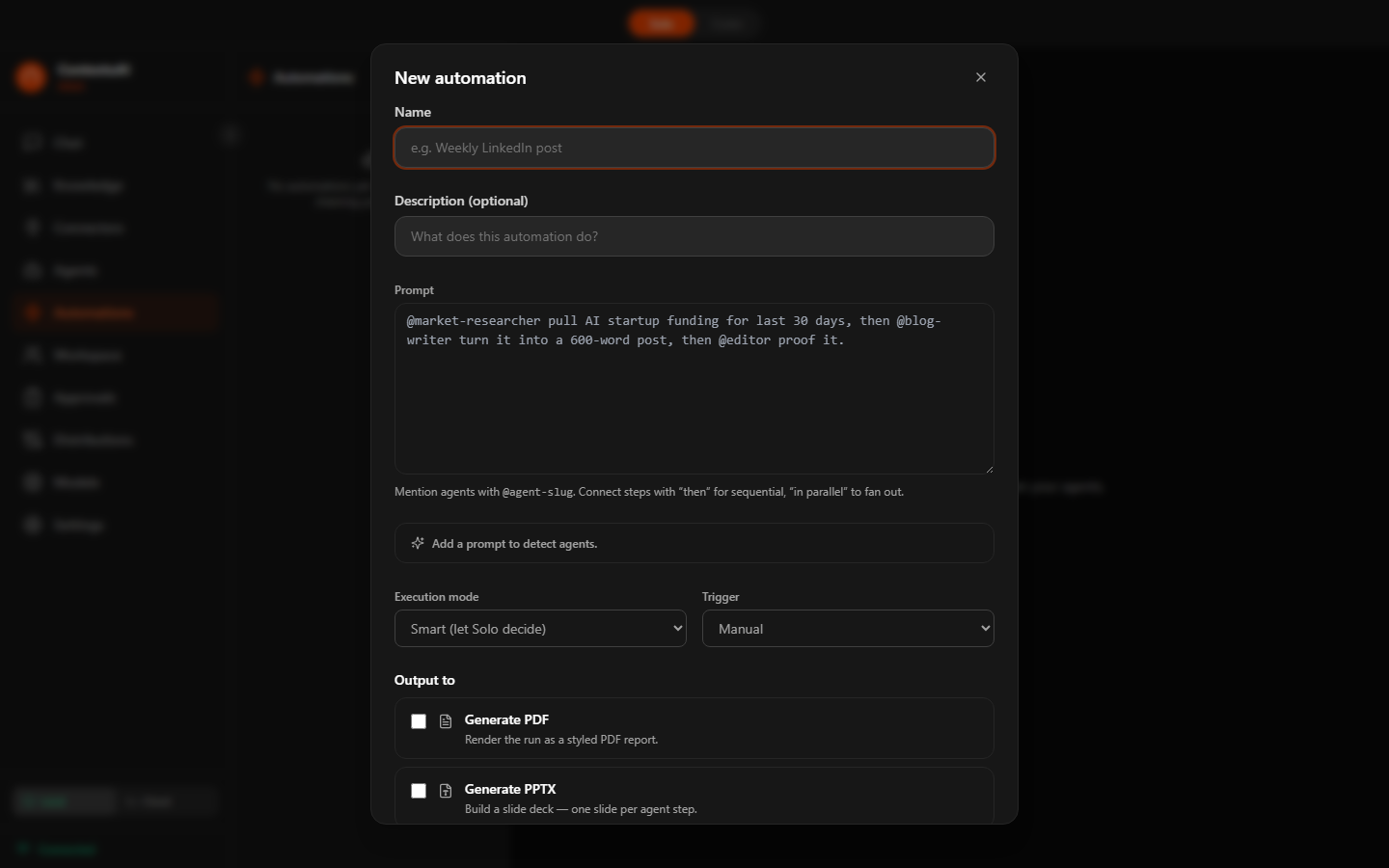
Automation builder — name, prompt, triggers, and output action in one form
Toggle into Coder Mode for a local development workspace. Scaffold projects from templates, run sandboxed shell commands, and collaborate with multi-agent coding teams — planner, coder, reviewer working together. Plus an OpenAI-compatible API endpoint for your IDE.
Web App, Telegram Bot, CLI Tool, Static Site — scaffolded and ready to run
Solo, Sequential, Parallel, or Custom — planner + coder + reviewer collaboration
Code Reviewer, Bug Analyzer, Test Writer, Doc Generator, Refactor Advisor
Run dev servers, build commands, and tests in a restricted shell with Tauri capabilities
Crews can include Coder project steps — automations can invoke coding workflows
localhost:18741/v1 — use local or cloud models in VS Code, Cursor, Aider, or any IDE

100% offline. Your code never leaves your machine. No telemetry, no cloud calls, no API charges.
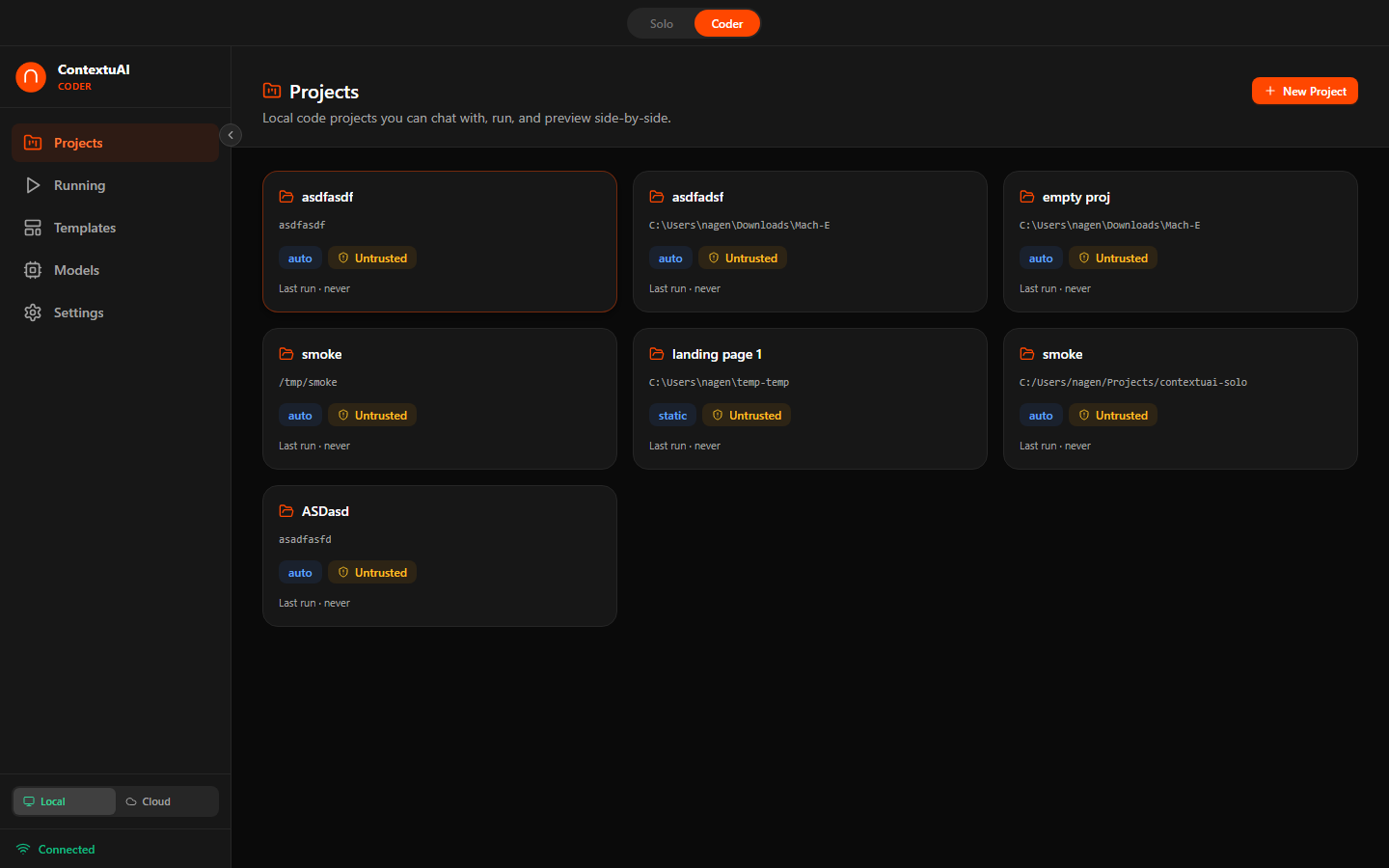
Coder Mode — manage coding projects with AI-powered multi-agent teams
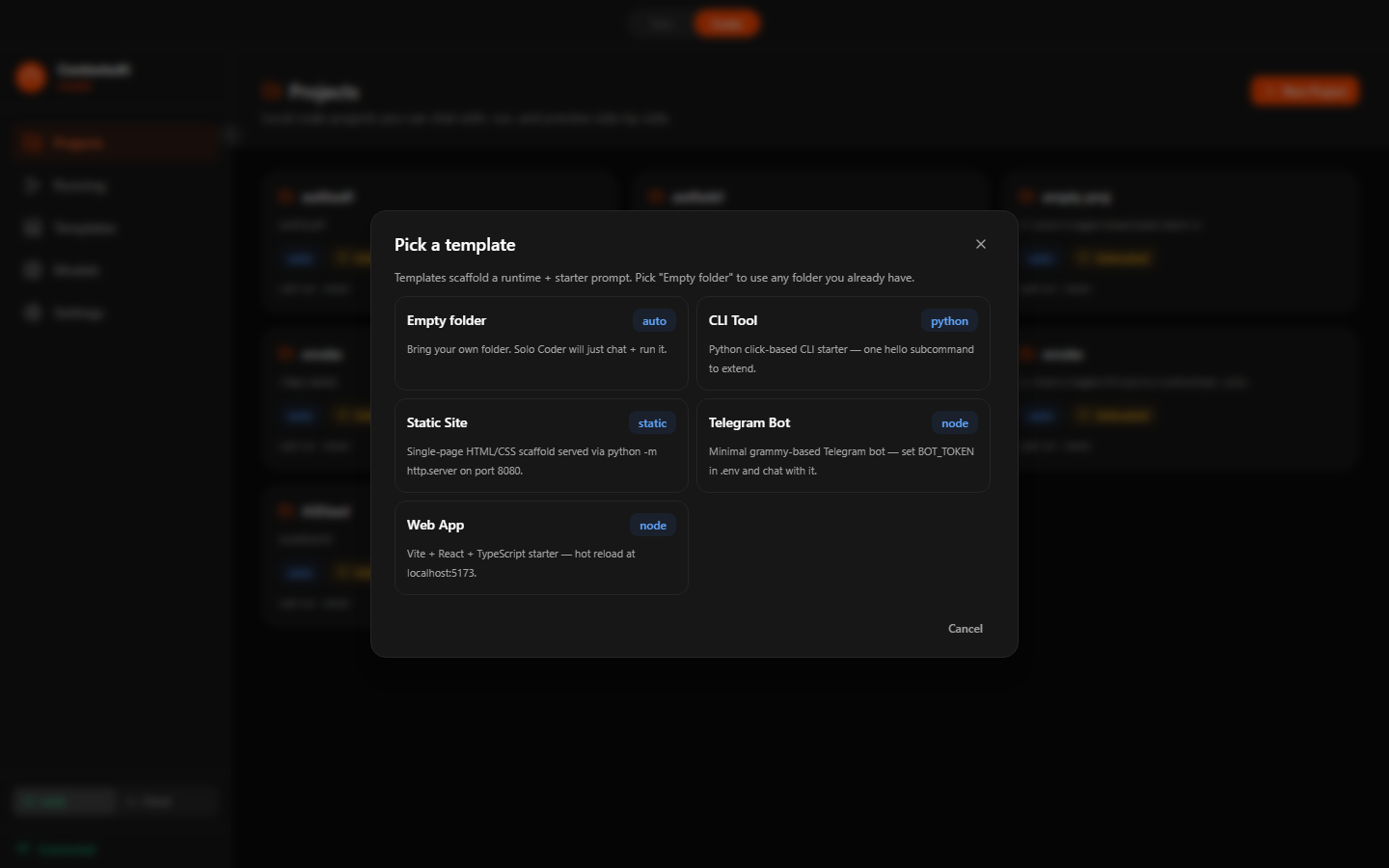
Scaffold from 4 templates — Web App, Telegram Bot, CLI Tool, or Static Site
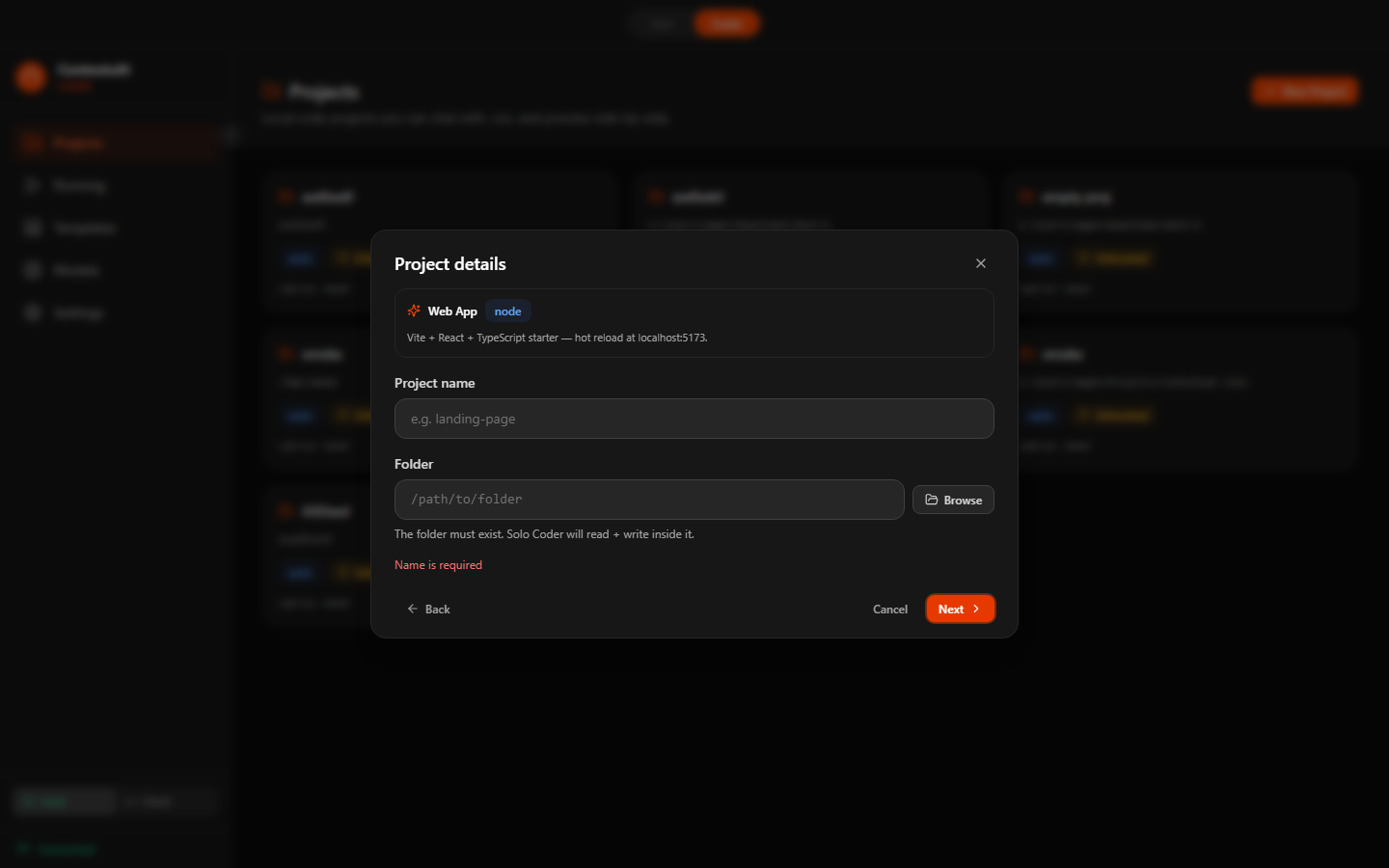
Configure your coding team — assign roles, pick models, choose workflow mode
Practical recipes showing how to combine Solo's features to solve real business problems. Each cookbook entry describes the scenario, which features to use, and the step-by-step setup. Browse all 44+ recipes →
A freelancer wants to post daily on LinkedIn, Twitter, and Instagram without spending hours on content.
Features used: Crew (Sequential) + Content Strategist & Copywriter agents + LinkedIn/Twitter/Instagram channels + Approval Queue + Cron schedule
How: Create a crew with Content Strategist (research) → Copywriter (draft) → Social Media Manager (adapt per platform). Bind LinkedIn, Twitter, Instagram. Set a daily cron trigger. Enable approvals to review each post before it publishes.
A SaaS founder needs a support bot that answers questions using product docs — with human oversight.
Features used: Knowledge Base (folder-mapped docs) + Crew (single agent) + Telegram (inbound) + Approval Queue
How: Map your /docs folder as a Knowledge Base. Create a crew with one agent bound to that KB. Connect Telegram inbound. Enable approvals. When customers message the bot, AI drafts a response using your docs — you review and approve before it sends.
A startup wants an automated weekly competitive intelligence brief delivered to Slack and email.
Features used: Crew (Pipeline) + Competitor Intelligence Analyst & Market Researcher agents + Web Research persona + Slack & Email channels + Weekly cron
How: Create a pipeline crew: Market Researcher (web search) → Competitor Intelligence Analyst (synthesize findings) → Copywriter (format report). Bind Slack and Email channels. Set weekly cron trigger every Monday at 9 AM.
A solo developer wants AI-powered code review with multiple perspectives before shipping.
Features used: Coder Mode + Sequential workflow + Code Reviewer, Bug Analyzer, Test Writer agents + Project KB (folder-mapped codebase)
How: Toggle to Coder Mode. Create a project, index the codebase as a Knowledge Base. Set up a Sequential workflow: Code Reviewer (quality) → Bug Analyzer (defects) → Test Writer (coverage gaps). Paste your diff and run.
A startup founder preparing for a seed round needs investor-ready slides with financial projections.
Features used: @mention Automation + Pitch Deck Architect, Startup CFO, Investor Relations agents + PPTX output
How: Use Automations: "@pitch-deck-architect create a 12-slide deck for our AI analytics platform @startup-cfo add financial projections @investor-relations refine the narrative". Set output to PPTX. Run and download the deck.
A content team wants to publish 3 blog posts per week on Ghost with SEO optimization.
Features used: Crew (Pipeline) + SEO Specialist, Content Strategist, Copywriter agents + Blog (Ghost) channel + Knowledge Base (brand guidelines) + M/W/F cron
How: Upload brand guidelines as a KB. Create a pipeline crew: SEO Specialist (keywords) → Content Strategist (outline) → Copywriter (draft, KB-informed). Bind Ghost blog channel. Set cron for Mon/Wed/Fri at 8 AM. Enable approvals for editorial review.
A community manager wants to monitor subreddits for brand mentions and draft helpful replies.
Features used: Reddit (inbound) + Social Media Responder & Brand Voice Guardian agents + Crew (Sequential) + Keyword triggers + Approval Queue
How: Connect Reddit with subreddit monitoring. Create a crew: Social Media Responder (draft) → Brand Voice Guardian (tone check). Set keyword triggers for your brand name. Enable approvals so you review every reply before it posts.
A SaaS company wants a bi-weekly newsletter with product updates, tips, and curated industry news.
Features used: Crew (Pipeline) + Content Strategist, Copywriter, Email Campaign Builder agents + Knowledge Base (product changelog) + Email (SendGrid) channel + Bi-weekly cron
How: Map your changelog folder as a KB. Pipeline crew: Content Strategist (pick topics from KB + web trends) → Copywriter (write sections) → Email Campaign Builder (format for email). Bind SendGrid. Set bi-weekly cron. Approve before sending.
Download ContextuAI Solo for free and start building with AI today.